InsideSeat
InsideSeat is an iOS-based mobile app where users can create invitation-only group messaging with friends and family or anyone from their contacts list.
Services: Native Mobile App, Product Development
Core Technologies: Swift, Firebase, Serverless
How it Works
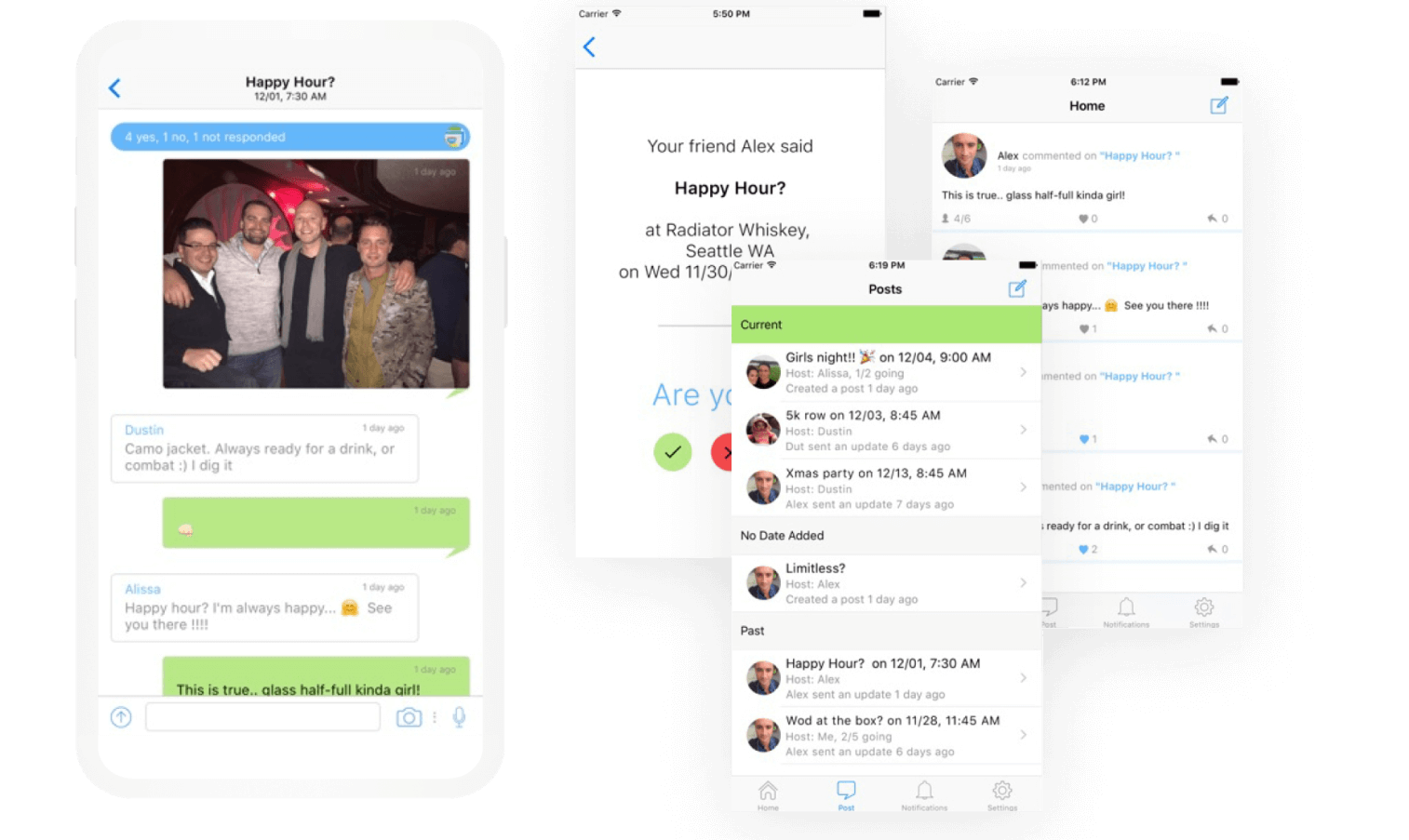
With InsideSeat, event creators can track and communicate with invited users using the message board which includes the ability to post pictures and videos within the event. Users may opt-in to get in-app or SMS notifications for any updates on an event.
- Create an Event
To create an event, one guest invite is required with the ability to add the following details:
- Option to add an event heading or title
- Option to add location, date, and time (location is integrated with Google map API to find the event venue)
- Option to select and de-select more contacts from the user’s address book
- Option to add pictures, videos or third party links
- Create a Group
Users can create a group with the number of invitees for an event. There are no limitations on the number of members for a group, nor the number of groups created.
- Event Response
- Via App — InsideSeat app users can receive push notifications for event invitations; users can respond and communicate with other invited members in-app.
- Via SMS — Non-app users with only one active invitation will receive a text message (SMS) originated from a short code. Users can respond with 1 for attending or 0 for not attending to an event. If a non-app user has more than 1 active invitation, they will be required to download the app to respond to the events.
Our Involvement
Our team was involved with the following areas:
- Requirements analysis and technical design
- User experience and front-end design and development
- Back-end and middle tier design and development
- Back-end architecture design
InsideSeat is an iOS application that supports version iOS 11 and above. The app runs on a Google Cloud Architecture Platform in an auto-scaling load balanced infrastructure. Our post-development involvement includes routine maintenance and upgrades of the infrastructure, refactoring and optimization of the existing codebase, and providing suggestions to improve the product.
Back-end Environments
- Google Firebase Real-Time Db
- Google Cloud Function
- Firebase cloud messaging is used as a module between the server and the devices that receive the push notifications
- Twillio service is used for all SMS communication from the app
Auto-scaling Load Balanced Infrastructure
- Google Cloud Architecture is built for an exabyte scale using the same infrastructure that powers Hotstar with auto threading
- Cloud Storage integrates with Firebase Authentication to provide simple and intuitive authentication. It can use the security model to allow access, based on filename, size, content type, and other metadata